

Download Ad-Aware AdBlocker – ad blocker, ad removal, online privacy, web browsing, internet security, browser extension, free ad blocker
Overview
Ad-Aware AdBlocker is a lightweight, free application designed to enhance the online browsing experience by eliminating intrusive advertisements across multiple web browsers. The tool targets common ad formats, including banners, pop-ups, and video ads, aiming to reduce distractions and improve overall usability. Its primary purpose is to deliver a cleaner, faster, and more secure web environment, particularly beneficial for users seeking a distraction-free digital experience.
By blocking advertisements, the app helps reduce bandwidth consumption and can contribute to improved browsing speeds—especially relevant for users with limited data plans or slower internet connections. This makes it a practical utility for both casual and frequent internet users. The application is particularly useful in scenarios where online focus is essential, such as research, content creation, or remote work, where interruptions from ads can disrupt workflow.
Ad-Aware, the developer, has positioned this tool within the productivity and internet security categories, suggesting a focus on user efficiency and privacy. Although no detailed background on the company is provided, the app’s release date of December 14, 2013, indicates it has been in use for over a decade, suggesting long-term stability and consistent updates. The app’s compatibility with major browsers such as Chrome, Firefox, Internet Explorer, and Opera underscores its broad functionality across different user preferences.
Ad-Aware AdBlocker fits into the broader ecosystem of browser-enhancing tools, offering a simple solution for users who want to reclaim control over their online experience without installing complex software. It serves as a foundational utility for individuals prioritizing privacy, speed, and usability in their daily web interactions.
Key Features & Functionality
- Broad Browser Compatibility – Ad-Aware AdBlocker is designed to function seamlessly with leading web browsers including Chrome, Firefox, Internet Explorer, and Opera. This allows users to maintain consistent ad-blocking across their preferred platforms without needing to switch tools or settings.
- Enhanced Browsing Speed – By blocking resource-heavy advertisements, the app reduces the amount of data loaded during page visits. This contributes to faster page rendering times, which is especially valuable for users with limited bandwidth or slower internet connections.
- Pop-Up Ad Elimination – The application actively identifies and blocks pop-up windows that often disrupt browsing sessions. This feature enhances user control and reduces the risk of accidental clicks on malicious or deceptive content.
- Simplicity in Use – The interface is designed for ease of access, requiring minimal user input. Users can activate the ad-blocking function with a single toggle, making it accessible even to those with limited technical expertise.
- Bandwidth Reduction – According to the developer, Ad-Aware AdBlocker can reduce bandwidth usage by up to 27%. This benefit supports users on metered connections or those looking to optimize data consumption.
- Peaceful Browsing Experience – With ads removed, users can engage with content more deeply, whether for leisure reading, studying, or professional tasks. The reduction in visual clutter fosters a more immersive and focused online environment.
These features collectively support a more efficient and enjoyable browsing experience. For example, a student researching online can avoid interruptions from video ads, while a remote worker can maintain focus during long sessions. The tool also contributes to a safer browsing environment by minimizing exposure to potentially harmful ad networks.
Interface, UX & Performance
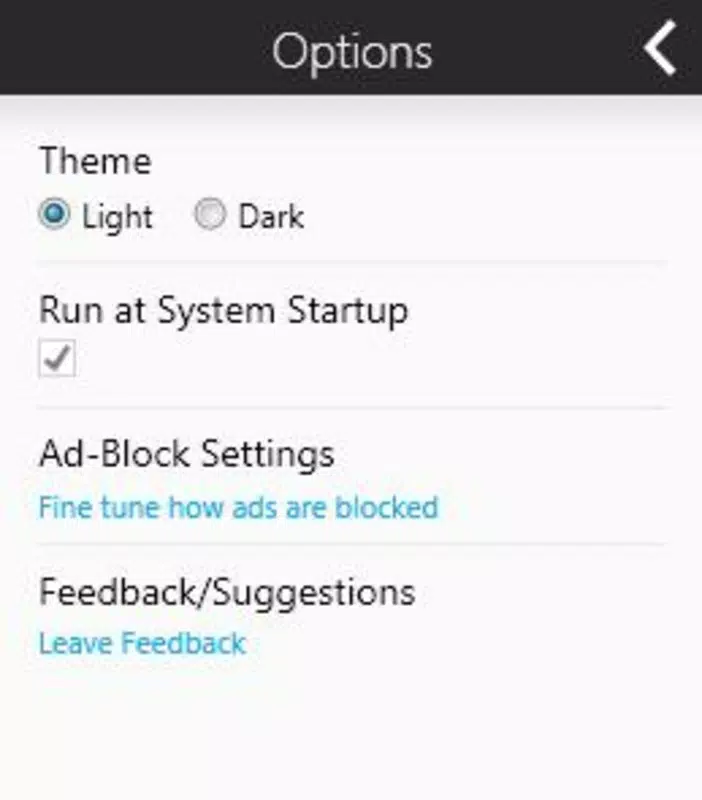
The user interface of Ad-Aware AdBlocker is described as straightforward and minimalistic, aligning with its purpose as a utility-focused tool. The design emphasizes functionality over visual flair, prioritizing quick access to core features. Users can enable or disable ad-blocking with a single action, indicating a well-structured navigation flow.
Although the developer did not list formal performance metrics, the app’s file size of 1.2 MB suggests it is lightweight and unlikely to impact system resources significantly. This low footprint is beneficial for older or low-spec machines, where performance and memory usage are critical concerns.
Responsiveness appears to be consistent across supported browsers, as the app integrates directly into the browser environment. The lack of reported crashes or instability suggests a stable operation, though no specific data on long-term reliability is available. The app does not appear to interfere with standard browser functions, maintaining compatibility with existing extensions and settings.
Performance on different device categories was not disclosed. However, given its small size and minimal system requirements, it is likely to function smoothly on a wide range of Windows-based systems, including desktops and laptops. The absence of complex setup procedures further enhances its accessibility and ease of use.
Platform Compatibility & Technical Requirements
Ad-Aware AdBlocker is designed for the Windows operating system. The current version is 1.0.0, with a file size of 1.2 MB. The application is available at no cost, making it accessible to a broad user base.
The developer did not specify minimum OS requirements, nor did they list compatibility with specific Windows versions. This lack of detail means users should exercise caution when installing on older or non-standard systems. It is recommended to verify compatibility with the host operating system before installation.
Given the app’s release date in 2013, it may not support the latest versions of Windows. Users should consider whether the application remains compatible with modern systems, especially those running Windows 10 or Windows 11, as browser extensions and system APIs have evolved significantly since then.
Pros and Cons
- Lightweight design with minimal system impact
- Free to download and use
- Supports multiple popular web browsers
- Simple interface suitable for non-technical users
- Reduces bandwidth usage and improves browsing speed
- Blocks pop-up ads and visual distractions
- Release date is over a decade old, raising compatibility concerns
- No official support for modern Windows versions confirmed
- Limited technical documentation from the developer
- Compatibility with newer browsers not explicitly verified
- Performance on current hardware not independently tested
FAQ
Is Ad-Aware AdBlocker safe to install?
Yes, the app is free and designed to enhance browsing security by blocking potentially intrusive ads. However, users should ensure they download it from official sources to avoid unauthorized versions.
Can I use Ad-Aware AdBlocker on multiple browsers?
Yes, the application is compatible with Chrome, Firefox, Internet Explorer, and Opera, allowing users to maintain ad-blocking across different browsers.
Does Ad-Aware AdBlocker require a paid subscription?
No, the app is available for free. There are no in-app purchases or subscription models reported.
Is the app compatible with Windows 10 and Windows 11?
The developer did not specify compatibility with Windows 10 or Windows 11. While it may function on these systems, users should verify performance and stability before relying on it for daily use.
How often does Ad-Aware AdBlocker receive updates?
Specific update frequency was not disclosed. Given the app’s release date in 2013, it is unclear whether active development continues.
Final Thoughts
Ad-Aware AdBlocker remains a notable entry in the category of browser-based ad-blocking tools, offering a simple, free solution for users seeking to eliminate ads and improve browsing efficiency. Its lightweight nature and broad browser support make it a viable option for those using older systems or preferring minimalistic tools.
While its age raises valid concerns about compatibility with modern operating systems and browsers, the app’s core functionality—ad removal, speed improvement, and bandwidth savings—remains relevant. For users on legacy hardware or those who value straightforward, no-frills utilities, Ad-Aware AdBlocker may still offer tangible benefits.
However, users should proceed with caution, especially on newer Windows versions, and consider testing the app in a controlled environment before full deployment. For those seeking a more up-to-date solution with active support and modern compatibility, alternatives may be preferable.
Download Ad-Aware AdBlocker now


